




Xero User News – Being Safe Online

With teams working more remotely and accessing both business and personal information over the internet, it makes sense to protect the way you access it. The traditional email username and password is not the strongest method to keep your data safe. Here we give advice on how to create a strong password and the additional step all Xero users can take to add an extra layer of security when logging in.
Advice on passwords
Research has found forcing regular changes is proving to be counter-productive as people will make a written note of their new password. Having a longer, complex password is a much safer option.
Password Advice – DONTs
- Don’t use a single word (e.g. “princess”) or a commonly-used phrase (e.g. “Iloveyou”), especially names of your spouse, children or even your favourite band
- Don’t add an incremental number to your password when it is time to change. i.e don’t use C4rl1sle1 then change it to C4rl1sle2
- Don’t use your username as your password.
- Don’t use common words.
- Don’t use keyboard sequences – eg qwertyuiop
Passwords should never be written down, posted on monitors, emailed or stored on-line.
Don’t use the same password for different online accounts. i.e – don’t have the same password for accessing Tesco as you do for accessing your banking.
Password Advice – DOs
- Use a phrase as the basis of your password that is important to you but something that it is not widely known or available via your social media profiles. For example, Cycled Pennine Way 2003 can be shortened to CycPe9Wy2003
Or you can use three memorable, but random words joined together.
For example, the name of your first pet, favourite holiday destination and favourite singer. Fido, Florida and Freddy Mercury could be FidFlridaFrdy
These methods produce complex passwords that are easy to remember but difficult to crack. Both use more than 12 characters, do not contain dictionary words, are not too difficult to remember and will take too long to crack (around 4 months).
- A secure password is one that does not simply substitute numbers for letters which has become a common method amongst computer users. Hackers are aware of these substitutions and include these variations in their brute force attacks, P455w0rd5 maybe twice as secure as ‘password’ but can still be cracked in 2 seconds.
A good way of keeping a memorable yet unique password for different online accounts is to add the name of the service\account to the end of your commonly used password.
Using the example above for Tesco’s could be FidFlridaFrdyTes or FidFlridaFrdyAmz for Amazon
Passwords are Confidential
Your password should never be written down!
Xero – Multi-Factor Authentication soon to be mandatory
A strong password is one thing, but for added security, it is advisable to set up Multi-Factor Authentication (MFA) wherever possible. Xero aims to keep the data in your Xero organisation as secure as possible and as part of this they have offered MFA for some time now. In the coming months, this is going to become mandatory for all users. Multi-Factor Authentication is a log in process that uses information you know (username and password) along with something you have, either on your mobile or computer. This has been shown to lead to a significant drop in malicious account takeover attempts. Wider research shows that MFA can prevent up to 80% of data breaches as it is much harder to steal something physical from you rather than something you know.
To provide Xero users with a seamless set up of their MFA they have created their own authentication app call Xero Verify which is available for free on the Apple and Google app stores. It only takes a few minutes to set up and sends a push notification to your device when you log into Xero. For further info:
Watch the Video - https://www.youtube.com/watch?v=YPBBfycT7tg
Read about it - https://central.xero.com/s/article/Set-up-multi-factor-authentication
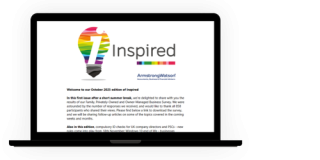
Subscribe to
Inspired
Our monthly bulletin INSPIRED is packed with useful articles to keep you up to date with news and legislation that may affect you or your business.


Armstrong Watson can help
Whether you need expert accounting, strategic business advisory, tax planning, or financial guidance, our experienced team is here to support your success. From sole traders to large enterprises, we provide tailored solutions to help you navigate complex financial challenges and achieve your goals. Get in touch today to discover how we can help your business thrive – call 0808 144 5575.


